
PPM reporting
A project portfolio dashboard that scores every project from the data
Read-only access to your PM tool, plus the spreadsheets finance already keeps. One screen for portfolio health that refreshes itself.
- Your PM tool (Jira, Asana, Monday, Smartsheet and others)
- Excel and SharePoint
- Power BI or a dashboard of your own
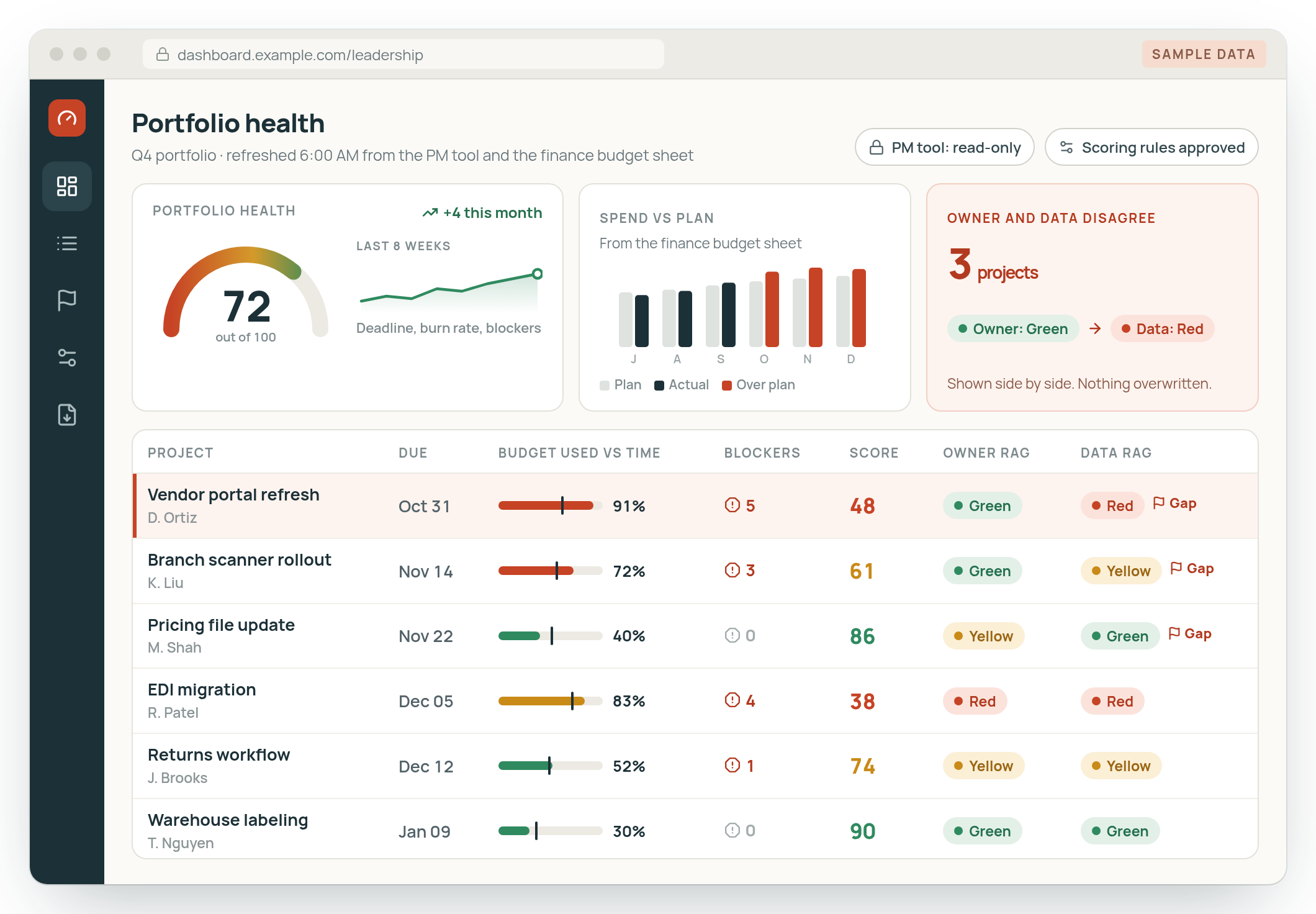
Reads your PM tool with read-only access. Nothing in that system changes.
Joins the spreadsheets finance and ops already keep, so budget sits next to work.
Refreshes on a schedule, so nobody rebuilds the PMO report by hand.
Where it starts
A spreadsheet, updated once a month
At one large national distributor, the leadership dashboard ran on Power BI over a shared spreadsheet, and it was only updated once a month. Each project's RAG status was whatever its owner chose. More on monthly reports built by hand.
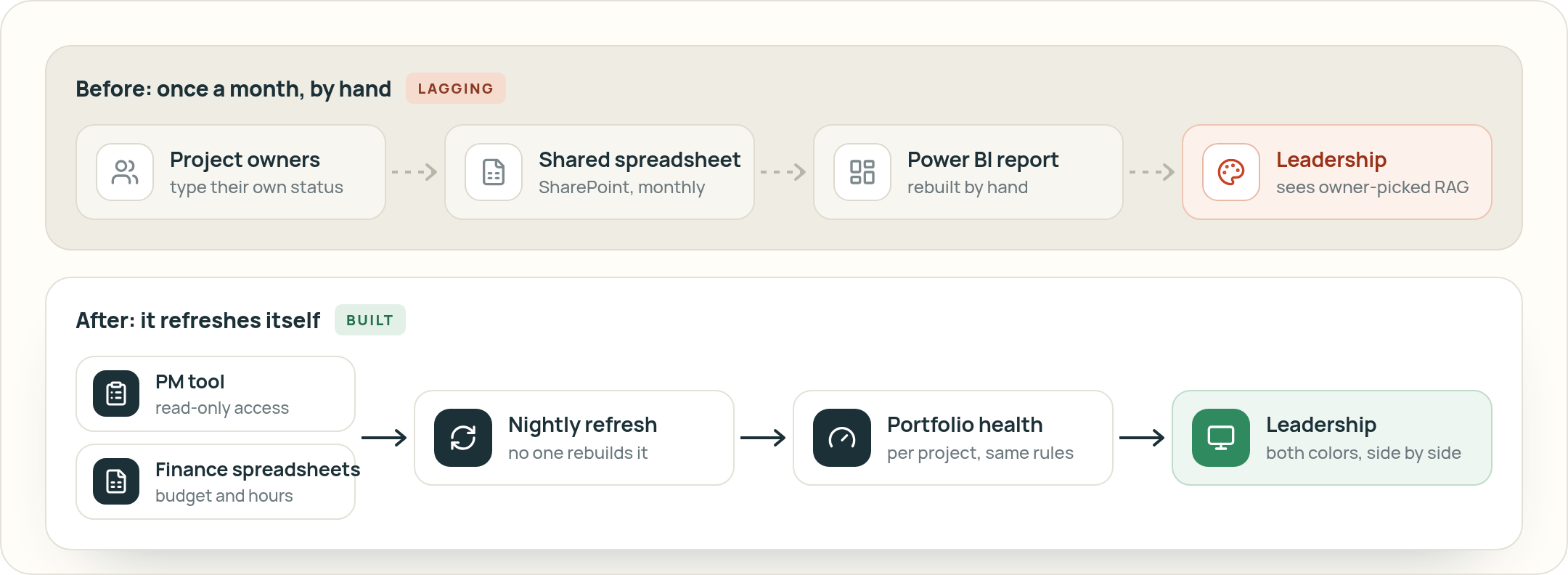

Photo: Craig Lovelidge on Unsplash.
From our calls
None of us are Power BI gurus.
Where the numbers live
- Your PM tool
- Excel and SharePoint
- Power BI
- ERP
- HR system
Portfolio health
Three signals, one score
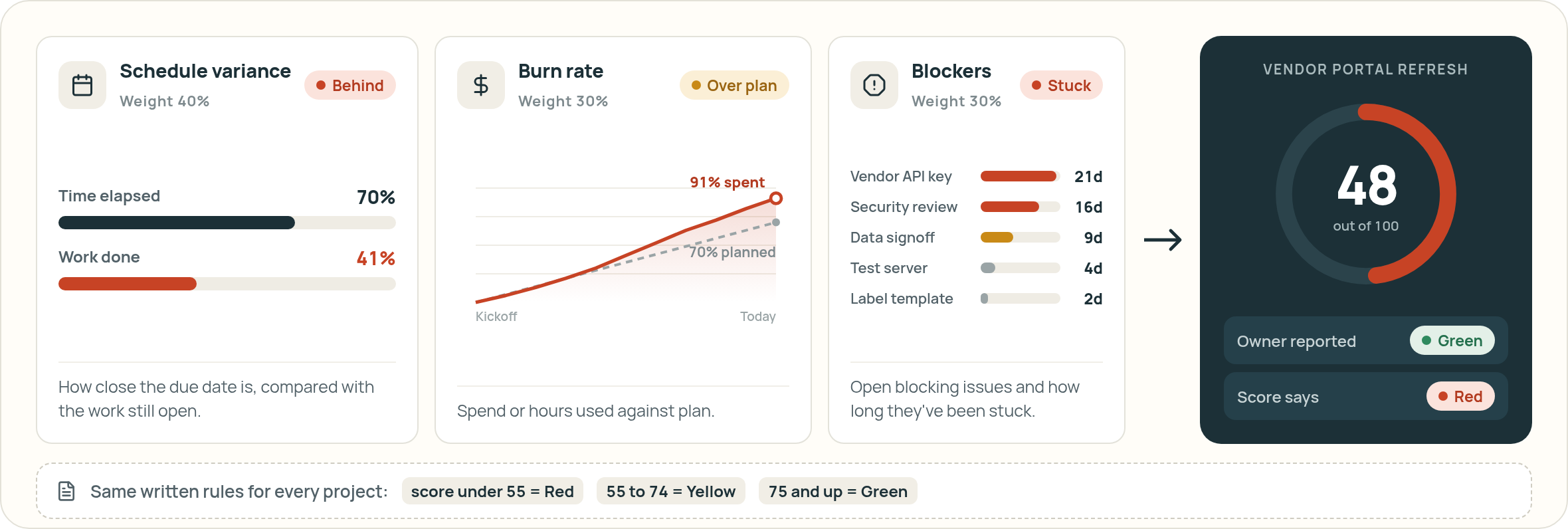
The rules are written down and the same for every project, so two owners with the same numbers get the same RAG status.
Reported vs. data
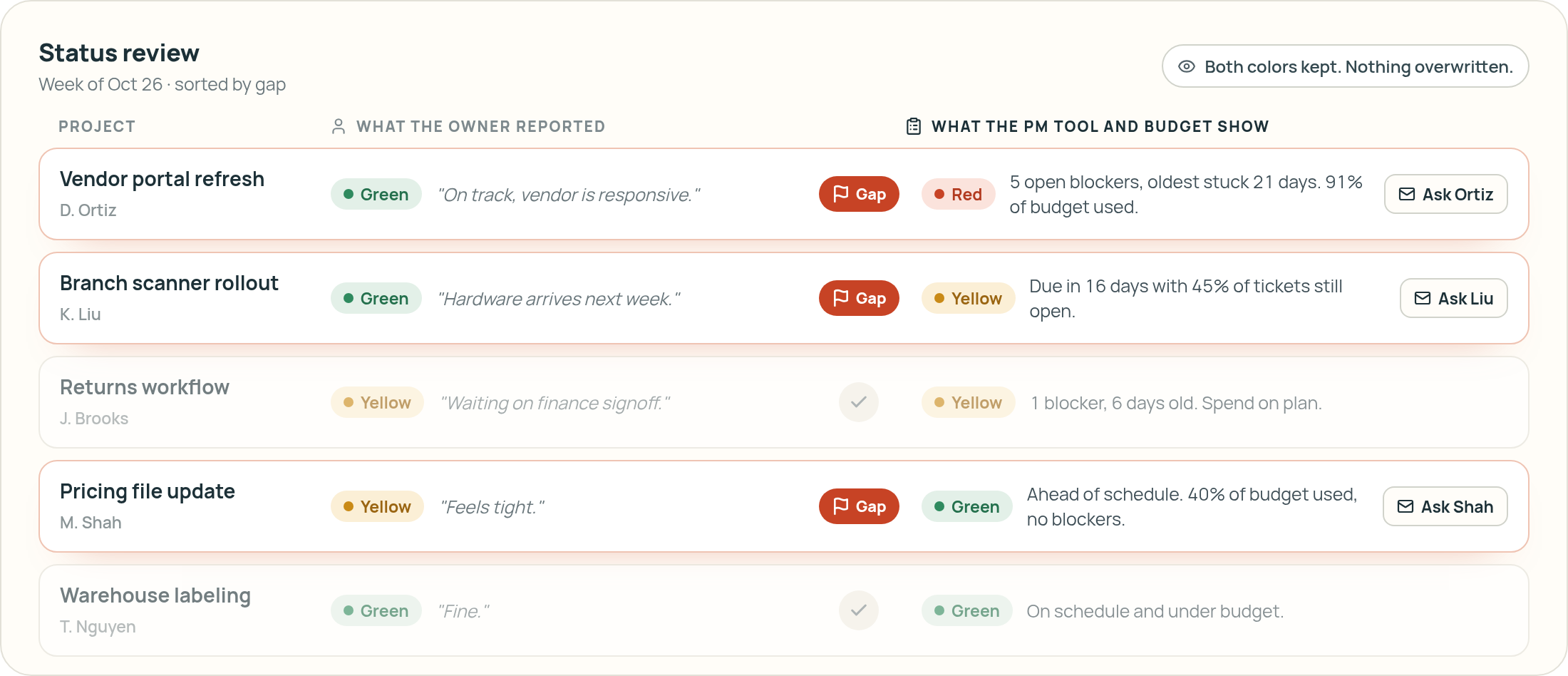
When the owner and the data disagree
The dashboard shows both: the status the owner reported and the status the data supports. Leadership sees the gap and asks about it. Nothing gets overwritten.
Buy or build
An add-on or a build?
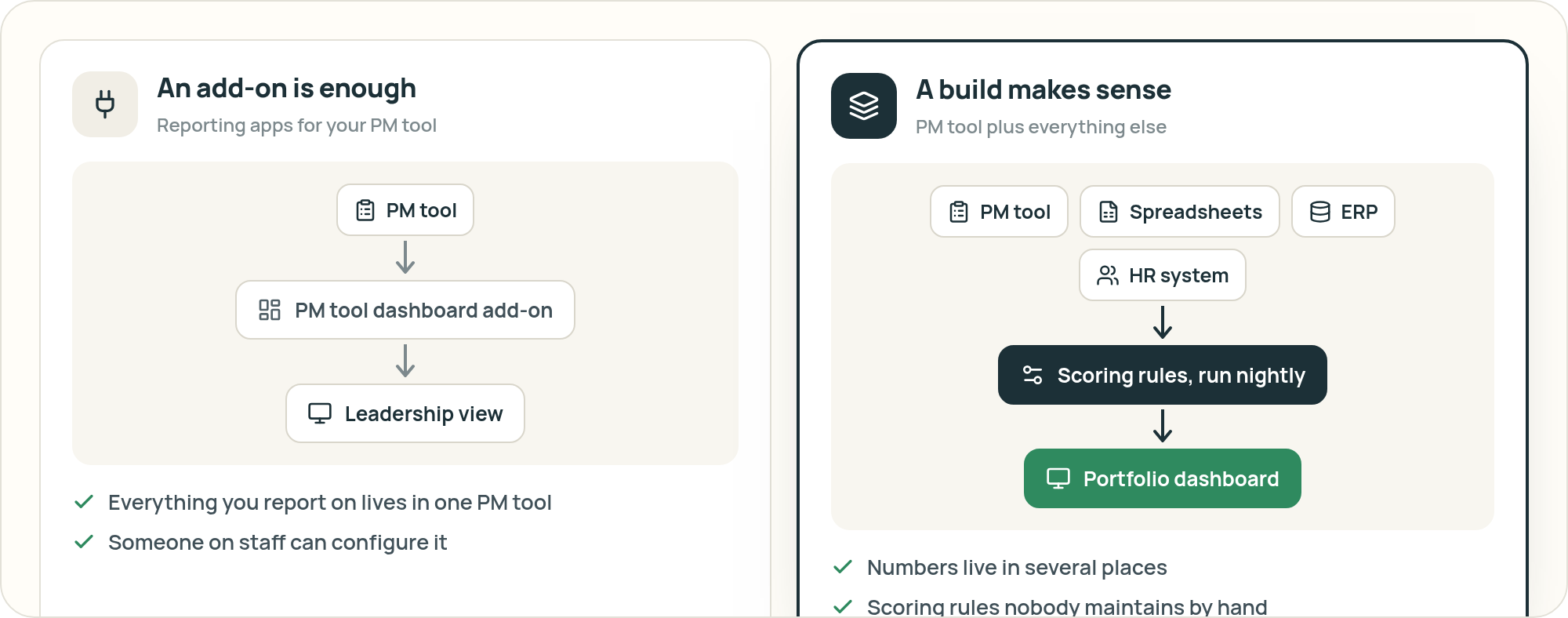
Reporting add-ons for your PM tool are enough when everything you report on lives in that one system and someone on staff can configure it.
A build makes sense when the numbers live in several places (your PM tool, spreadsheets, an ERP or HR system) and you want scoring rules nobody has to maintain by hand.
Questions
Common questions
Can our PM tool make a portfolio dashboard on its own?
Most PM tools show their own data. When leadership also needs budget or headcount from spreadsheets or other systems, that has to be joined in somewhere else.
Do we need a separate PPM suite?
Not for this. The dashboard reads the projects you already keep in your PM tool.
What access do you need?
Read-only access to your PM tool and read access to the spreadsheets that feed the report.
Where does it run?
In your own environment. It reads from your PM tool with read-only access.
Talk to us about your dashboard
If your PMO report still starts with someone updating a spreadsheet, we'd like to hear how it works today.
You work directly with Scott Hanson, who scopes the first version with your team and builds it. Based in Austin.
Or email scott@tenfoldlabs.io